Today we have collected some excellent desktop wallpapers dedicated to minimalism, for everyone who loves simplicity.
 Minimalism is a popular style of design because it keeps things simple and user-friendly, minimalism can also be applied to other aspects of business and life. The purpose of Minimalism is basically to allow the viewers or the audience to experience the artwork more intensely without all the distractions of the composition, the theme, the organization and so on. Below are 150 minimalistic desktop wallpapers to download and perhaps even get a little inspiration to create your own simple desktop wallpaper!


Geometric simplicity in wallpaper design has become a popular trend, offering a visually striking yet understated look for minimalist lovers. This style emphasizes clean lines, basic shapes, and patterns that create a sense of balance and harmony on desktop screens. By blending geometric patterns with vivid natural scenes, these simple wallpapers bring warmth and serenity to digital devices and declutter the visual landscape.
NEW! Since this article was so popular and it still is, we've decided to update our minimalist wallpapers collection with new cool high quality wallpapers, make sure you don't miss on those new 40 High Resolution Wallpapers for Minimalist Lovers!
Dr. Manhattan

(click on the photo for the full resolution wallpaper)
Solid electric blue fills the frame. A black dot sits inside a thin ring, with a smaller dot in orbit, forming an atomic cue and a clean nod to Dr. Manhattan. Center alignment keeps the composition stable, so your eyes land on one point instead of scanning the whole screen. Two tones do most of the work, blue and black, so your desktop reads clean even when your tabs multiply. Place icons along the left and right edges and the center mark stays untouched. On a large monitor, the blue field reduces glare compared with pure white, which helps during long editing sessions. The reference rewards fans of Watchmen, while the design still works for anyone who likes strict geometry. Keep your cursor trails and busy widgets off, and the symbol feels even sharper. Use this wallpaper when your workflow needs focus and your screen needs a quiet joke about omniscience and procrastination. The ring and orbit also leave generous blank areas, so a busy taskbar will not crowd the subject.
Watchmen

Bright yellow fills the frame. A smiley face sits front and center, two tilted black eyes, a clean curved grin, then a blood red splatter across the forehead. The Watchmen reference reads in a second, then the stain delivers the punchline for you. Three colors do all the work, so your desktop stays clean while the mood stays sharp. Use this wallpaper when you want your screen to look friendly at first glance, then slightly suspicious on the second. The open space keeps your icons readable, and the high contrast keeps the mark crisp even on dim displays. The design balances pop-art energy with a deadpan edge, so your setup looks playful while quietly announcing, yes, your taste runs darker than your calendar app.
Planet
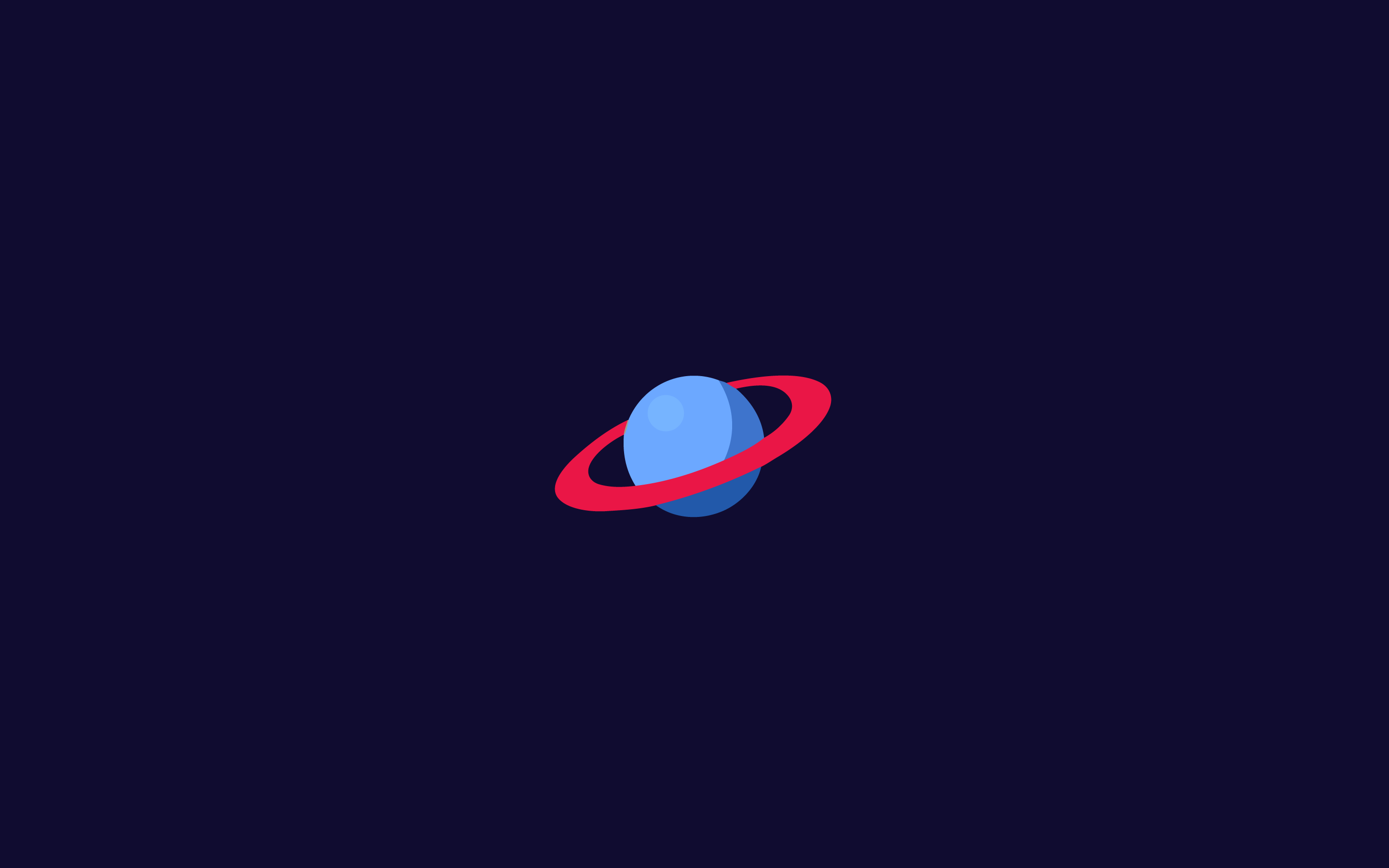
Cute planet floating in the vastness of space makes for a perfect simple desktop wallpaper that feels both calm and captivating. Whether you're looking for a clean wallpaper for computer that won't distract you during long work sessions, or just want to refresh your screen with something visually striking, this minimalist space design delivers. The deep cosmic backdrop and smooth planetary curves keep it simple enough to work as an everyday desktop background, while still feeling rich and atmospheric. If you've been searching for simple computer backgrounds that strike a balance between beauty and simplicity, this one is hard to beat. It also doubles as one of those cute desktop screensavers that never gets old, no matter how many times you see it. Clean, minimal, and endlessly peaceful, exactly what great computer wallpaper should feel like.
Solar System

Concentric orbital rings sit on a dark charcoal background, with small planet dots placed along the paths. Scale stays intentionally loose, so the layout reads as design first and astronomy second. No labels appear, which keeps the diagram clean and leaves room for your folders. Thin line weight gives the rings a technical feel without turning the screen into a textbook page. The circles guide your eye toward the center sun mark, then send attention back out to the margins where your shortcuts live. If you keep icons on one side, ring spacing still reads even, which helps your screen feel organized without extra decoration. Gray on charcoal supports dark mode apps and photo editors, since color from your work remains the loudest element. Pluto fans get a quiet break from arguments, since no names appear. Use this wallpaper when you want order, space, and one tidy diagram doing the job of a whole galaxy. If you run multiple desktops, this one gives each workspace the same calm base and consistent spacing.
Method

A pale blue grid of dots and tiny squares forms a soft technical backdrop, while one darker square anchors the composition. The title fits, because the layout reads as a system, not a scene. Repeating marks create rhythm, yet spacing stays generous, so your eyes rest between elements. The single bold square gives you a clear place to land, which helps during long work sessions and dense documents. Light contrast keeps the background present without fighting your windows, which makes the wallpaper practical for daily use. Keep your desktop icons in the corners and the grid still feels intentional, since the pattern already suggests a coordinate field. The lone square adds a small punch of humor, one component refusing to follow group rules. Pair this with a minimalist icon set and the whole screen starts to look planned. Use this piece when you want structure, calm, and one small reminder to keep method inside the madness. The faint grid suggests alignment rules, so your own icon grid looks intentional. Use this behind design tools when you want a background that feels orderly without pulling attention from the canvas. The blue tone stays soft on the eyes during night work.
Bye Mouse

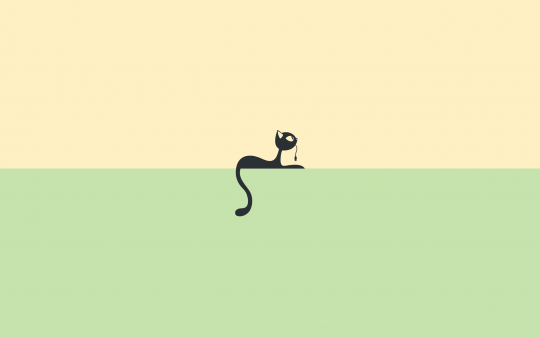
A black cat silhouette stretches across a two tone field, warm beige above and mint green below. The cat holds a mouse cord in its mouth, delivering the whole joke with one line. Clean edges and flat color keep the scene readable at small sizes, so the cat stays sharp under app windows. The split background gives you two placement zones, beige for darker icons, mint for lighter icons. Center framing keeps the cat as a stable anchor, which helps your desktop feel balanced even with scattered shortcuts. The cable detail adds narrative without extra clutter, a clean way to add personality. Use this wallpaper on laptops where small screens need high contrast shapes. Your physical mouse might feel judged, which seems fair. Set this when you want playful minimalism, plus a quiet suggestion to retire the tangled cord situation. The cat body also follows the color boundary, which keeps the split from feeling random. Set a minimal dock and the wallpaper does the talking for you, with one cat and one defeated cable.
Tools

Small tool icons sit in the center of a light gray background, forming a neat lineup of maker essentials. You will spot familiar shapes, a ruler, a pencil, an eraser, a square, and a magnifier, plus cues borrowed from design software. Simple silhouettes keep recognition fast, which matters when the wallpaper sits behind dozens of open windows. The icons stay compact, leaving wide margins for folders, widgets, and a clean dock. Monochrome treatment keeps contrast controlled, so the set reads well on bright and dim screens. Use this wallpaper when you want a quiet reminder to measure, edit, and zoom with intent, even during late night deadline triage. The centered layout also helps when you align your icons in grids, since the wallpaper already models alignment discipline. The joke lands softly, the tools sit ready while you stare at the screen and call this preparation. Your desktop looks organized, even before you start organizing. Icon spacing stays even, which reinforces the whole theme.
Superman

A red paper airplane cuts across a soft sky blue background, doubling as a cape in motion. The word SUPERMAN rides the flight path, so type and shape share direction and speed cues. The red form stays light and angular, which keeps the layout playful while staying minimal. Large open space gives your icons room, especially near the bottom corners and the left edge. Color contrast stays high, red against blue, so the subject remains visible behind translucent windows. The concept reads fast, Clark goes in, Superman comes out, with no extra props and no character portrait. Use this wallpaper when your screen needs a bit of optimism without extra decoration. The humor comes from the scale, a world famous hero reduced to origami and a word mark. Keep your desktop tidy and the plane path reads even cleaner, which feels on brand for a hero who travels light. If you use a search bar overlay, place the bar near the center and the red path frames the text. The layout stays friendly, yet the joke still lands every time you notice the cape trick.
Batman

A small bat cowl with bright white eyes sits centered on a muted gray blue background. Typography below forms BATMAN through letter spacing and negative space, so the name reads without heavy outlines. The mask stays compact, leaving most of the screen open for your files and widgets. High contrast eyes give you a focal point, yet the overall tone stays quiet and controlled. If you keep icons along the left edge, the composition still feels balanced, since the cowl sits dead center. Soft background color supports both dark and light app themes, which helps during frequent context switching. Minimal detail fits the character, brooding energy delivered through restraint and clean kerning. The humor lands in the seriousness, a hero known for drama presented as a tidy logo study. Use this wallpaper when you want a desktop that looks disciplined, with a hint of Gotham mood. The letterforms stay simple, so the wallpaper remains readable after cropping for tablets. Keep folder names short and the negative space under the mask stays clean, which fits the whole theme.
Captain America

Captain America’s shield sits centered inside a wide field of quiet gray. Red rings, a white star, and a blue core keep the symbol crisp without texture or lighting effects. Plenty of empty space surrounds the shield, so your icons and folders remain easy to scan. Color contrast stays strong, which helps the emblem hold up on high resolution displays and small laptop screens. Place shortcuts near the corners and the shield keeps the composition grounded. Humor comes from the discipline, a superhero logo treated like a strict design system with no cinematic smoke. Use this when you want a screen that feels ready for order, plus a small nudge toward keeping your folders sorted. The shield also works as a centered target for your eyes, useful during quick task switching. Minimal hero branding, maximum clarity for everyday work. The neutral background also reduces distraction during meetings, since no extra pattern competes with shared screens. If you keep a grid of folders, the empty field makes misalignment obvious, which nudges you toward order. The shield also helps you center attention before opening the next task.
Shazam

A single yellow lightning bolt sits dead center on a bright red background. No gradients appear and no extra marks appear, so the bolt reads at a glance even behind open windows. The red field gives your icons a clean stage, while the bolt gives your eyes a target. High contrast makes the piece feel loud without adding clutter, which keeps focus on your work. Use this wallpaper with a minimal dock and the bolt becomes the only visual event on screen. The design also fits mobile lock screens, since the central mark stays readable after cropping. Humor comes from the seriousness, one bolt acting as a full character portrait. Set this when you want energy on your screen, while your layout stays simple and strict. Your desktop looks ready to shout a magic word, without needing any extra decoration.
Green Lantern

A flat green background fills the screen, with the Green Lantern Corps symbol placed in white at the center. Two colors handle the whole composition, which keeps focus on form and proportion. Edge to edge green sets a strong mood, so the wallpaper feels decisive even with minimal detail. The emblem stays crisp, so the design holds up under scaling and compression. Set your icons along the edges and the center mark stays stable, acting as a visual anchor. Green light dominates, so this wallpaper pairs well with dark UI themes and night work. Fans get their reference, and your desktop gets an instant order cue, keep the sector clean. The humor sits in the confidence, one symbol claiming the whole screen. Use this when you want a bright field, clear identity, and a desktop that refuses clutter. On OLED screens, the dark UI plus green field creates a crisp contrast, and the symbol stays easy to spot at night.
Wonder Woman

A bold red background carries the golden W emblem at center, clean and symmetrical. The emblem sits alone, so the message stays direct, strength without ornament. High contrast keeps the mark sharp across displays, and the empty field gives you space for icons. Place your folders near the bottom and the logo still anchors the screen, since the center stays clear. Flat color blocks keep the design readable behind translucent panels and widgets. Use this wallpaper when you want a desktop that looks confident and simple, plus a small reminder to stop negotiating with your own todo list. Humor arrives through restraint, a warrior symbol presented as a logo test. The red background also supports bright app windows, since the palette remains consistent. Your screen ends up bold without visual noise. This wallpaper also pairs well with red accent themes in your OS settings, keeping the whole interface consistent and focused. The emblem keeps your center clear for focus while icons live on the edges.
Moon Lawn Mowing Astronaut

Deep blue space frames an astronaut standing on a half moon, pushing a lawn mower across a small green strip. The absurdity arrives through clean drawing and simple shapes, not through extra detail. Helmet, suit, moon arc, and mower silhouette stay readable, even when your windows cover half the screen. Wide blue background leaves plenty of room for icons, while the moon forms a stable base near the bottom. Use this wallpaper when you want surreal humor delivered with tight composition and controlled color. Keep icons near the top left and the scene remains untouched, which preserves the joke. The small patch of grass adds a single accent color, so the design never turns busy. Your desktop gains a quiet rule, even the Moon gets maintenance, so your file system has no excuse. This piece makes productivity look slightly ridiculous, which helps. The mower handle and the moon curve form a clean arc, so the scene reads as one shape. Use this when you want playfulness on screen without bright noise, since the palette stays controlled.
Fusion Zometool

A crumpled white core hangs inside a geometric wireframe sphere on a dark background, with the label Fusion beneath. High contrast highlights texture in the core while the lattice stays precise and mathematical. The image reads as a study in structure versus irregular mass, so you get a clear concept without extra story cues. Center placement keeps attention focused, while the dark field leaves room for icons along the perimeter. Sharp geometry around the core suggests a model kit, a construction toy, or a lab diagram, depending on your mood. Use this wallpaper when you want a technical feel on your screen without charts and numbers. Typography stays restrained, so the title supports the image instead of competing. Science fans read fusion and molecule cues, builders read engineered symmetry. Your desktop gets one object worth staring at during compile time. The wireframe sphere gives a clear boundary, so the irregular core feels contained rather than messy. Place system monitors in the corners and the center object stays clear, like a lab sample on display.
My desktop is simple

Lowercase text sits on a charcoal black background, reading my desktop is simple followed by an ellipsis. A shared letter alignment links desktop and simple through one vertical stroke, so the line reads clever without decoration. Thin typography keeps the screen quiet, while your icons stay readable. Keep your desktop clean and the line reads as confidence. Keep your desktop messy and the line reads as comedy. The shared letter also saves space, a quiet flex for minimal typesetting.
Clark to Superman

Two simplified head silhouettes float on a solid blue background, one with Clark’s hair and tie, one with Superman’s curl and chest emblem. The design treats transformation as a swap of identifiers, hair, tie, and symbol, with no full figures required. Clean spacing keeps the pair readable, and the empty background gives you room for icons along the edges. The concept reads fast, mild mannered on one side, hero on the other, delivered through graphic shorthand. Use this wallpaper when you enjoy typographic logic and clean visual storytelling. Set your apps along the bottom and the center remains clear, so the two heads stay as the main focal points. Color stays minimal, blue field plus small accents, so the wallpaper works behind bright windows. Humor lands in the efficiency, an origin story told through grooming and accessories. Your desktop looks like a poster, without needing any extra decoration.
Spray Paint

A black aerosol canister stands centered on a dark gray background, with one hot pink drip running from the nozzle. Flat shapes keep the scene graphic, while the single drip adds motion and attitude. Color choice does the storytelling, monochrome restraint with one loud accent. The drip also gives your eyes a direction line, from nozzle to bottom, which adds structure to a simple layout. Leave your icons in the corners and the canister stays uncluttered, with the drip acting as the only punctuation. Use this wallpaper when you want street energy on screen without layers of texture. Dark background works well with photo editors, music players, and code themes. Humor comes from the neatness, a tool linked with chaos presented as a clean icon. Also, the drip looks like a confession, which feels honest. The hot pink also works as a color accent for your cursor or highlight theme if you match settings. Your screen feels edgy, yet your workspace stays usable.
Paper Airplane

Four folding stages line up across a smooth gray background, moving from a square sheet to a finished paper airplane. A dotted flight path loops away from the final plane, adding motion while keeping the design clean. Each step stays minimal, clear angles, clear progression, so the sequence reads as instruction and as decoration. The spacing between steps keeps the diagram readable, even when icons sit nearby. Use this wallpaper when your workflow involves iteration, start flat, fold, refine, launch. The wide empty space keeps icons readable, and the light palette works under bright app windows. Humor sits in the seriousness of the diagram, as if a paper plane deserves official documentation. Place your folders near the bottom and the loop path stays visible, adding a gentle sense of movement. This piece turns office supplies into a clean process chart for your screen. Each fold step uses the same scale, so the sequence feels consistent and easy to follow. If you teach design or origami, this wallpaper turns your desktop into a quiet reference sheet.
Bow Tie
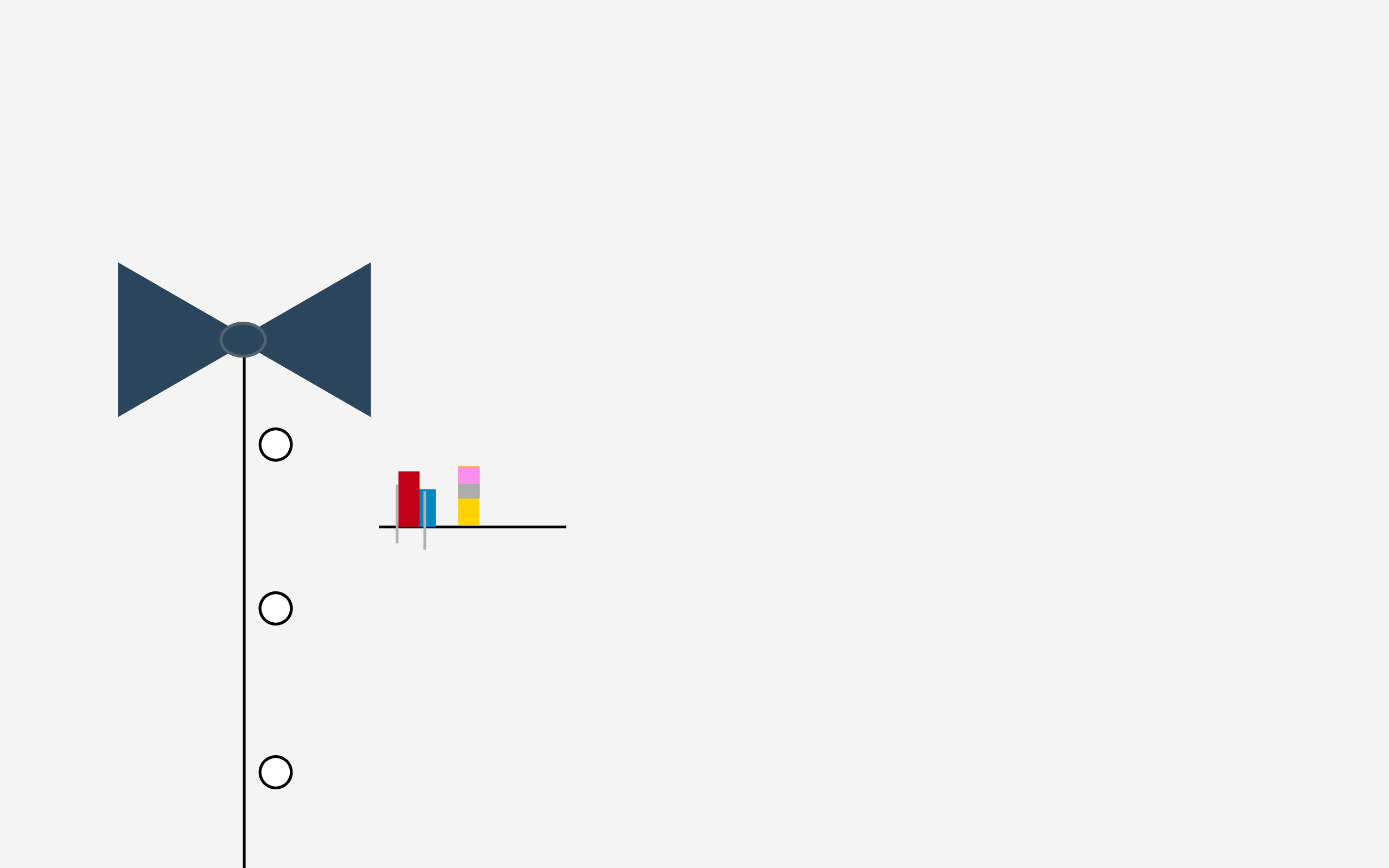
A simplified shirt front sits on a white background, with a navy bow tie, three buttons, and a pocket line. Bright vertical bars in the pocket add controlled color, reading as pens, test tubes, or pure graphic accents. The composition stays centered and symmetrical, so the screen feels orderly even with scattered files. High white space helps icons stay legible, while the bow tie gives you a focal point near the top. The pocket colors add a hint of lab or studio life, without turning the wallpaper busy. Use this wallpaper when you want your desktop dressed for a meeting, while your browser history stays off camera. Humor comes from the contrast, formal shirt geometry paired with a pocket full of color tools. This piece also works well with monochrome icon packs, since the color bars already provide accent. Your screen looks ready for both spreadsheets and experiments. The three buttons add a subtle vertical rhythm, which helps the center feel grounded. The pocket bars also act as a built in palette reference, cyan, magenta, yellow, and black vibes without naming any system. Use this when you want a screen that looks polite during screen sharing, while still hinting at science and design work. The bow tie sits high, so a top menu bar will not collide.
Tron Light Cycle


A single light cycle slices across a black background, drawn with neon linework and a long trailing streak. The bike stays minimal, outline, wheels, and a clean arc of light, so the shape reads fast. Color stays within a small range, bright cyan with warm gold accents, which keeps the glow controlled and keeps the screen dark. Wide negative space leaves room for icons, and the trail leads your eye across the desktop without blocking text. Curve control in the trail feels precise, which gives the piece a technical edge rather than a noisy poster look. Use this wallpaper with dark UI themes and terminal windows, since the light lines stay visible without fighting your code. Fans of Tron will recognize the reference from the silhouette and the trail rule set, move fast, leave a wall of light, keep the grid clean. Even without film context, the piece works as a study in motion marks and restraint, useful cues for any designer working on speed lines. Keep your dock simple and the cycle reads like a single gesture across the screen. Open a music player and the lines still hold, which gives your desktop a steady pulse without extra graphics. The trail thickness stays consistent, so the motion reads as controlled rather than chaotic. Keep desktop icons away from the trail and the line stays uninterrupted, which makes the composition feel faster. The black background works well for battery saving on OLED devices and for night sessions in dark rooms. If you run multiple monitors, set this on the secondary screen and the glow becomes a subtle divider between tasks. The minimal bike outline also avoids character faces and logos, so the reference stays tasteful and design led. Humor arrives from the contrast, high speed subject, low effort background, a sprint drawn as a single line. Open a terminal and the glow reads as a guide rail for your eyes, helping you track cursor position without bright UI chrome.
3D Simplicity

A pair of red and blue 3D glasses sits centered on a deep navy background. Two looping arrows form a circle above and below the frames, hinting at rotation and viewpoint shifts. The shapes stay flat and simple, which keeps the reference clear without nostalgia clutter. Strong contrast helps the glasses stand out, while the dark field gives you space for icons on both sides. Use this when you want a small reminder to change perspective during work, rotate the problem, then return to the center. The arrows also give a sense of motion, so the wallpaper feels active without adding detail. Color stays limited, which helps the piece remain readable behind translucent windows. Humor arrives through the subject choice, a tool for fake depth presented as strict minimal design. Your screen looks ready for a retro movie night, while your workflow stays clean. The red blue split also matches many UI highlight colors, so the wallpaper blends with modern app palettes. Place your icons in a single column and the arrows echo the same loop, which makes the whole screen feel planned. The circular arrows frame the glasses, keeping the center defined.
Lines

Two utility poles stand against a mint green sky field, with three cables stretching across the frame. Thin linework keeps the composition light, and the wide background keeps your desktop calm. The wires add gentle curves, which breaks the flat color without adding texture or noise. Pole placement creates asymmetry, so the scene avoids a centered target and stays airy. Place your icons near the bottom and the cables stay clear, preserving the simple horizon feel. Use this wallpaper when you want a real world subject stripped down to line and proportion. Humor comes from the subject itself, power lines promoted to main character status. The design also supports minimalist calendars and widgets, since the background stays consistent. Your desktop ends up simple, yet never empty. The pole shapes stay small, so the wallpaper still works under full screen apps. If you prefer minimal screens, hide desktop icons and let the cables act as the only grid lines.
Classic

A rich red background holds a cropped sweep of white script in the upper right, referencing a classic cola logo without spelling the full name. Minimal stripes near the bottom add depth through layering rather than gradients. The tight crop turns branding into pure shape, so the wallpaper reads as graphic design rather than advertisement. High contrast helps your icons remain readable, especially on the left side and lower area. Use this wallpaper when you want a retro cue on your screen without turning your desktop into a billboard. Humor arrives through the near miss, everyone recognizes the script, yet the frame stays polite and restrained. The red field also pairs well with monochrome icon sets, since the color does not fight your folder labels. This piece works for fans of pop branding and for anyone who likes clean curves and confident spacing. Your desktop gets nostalgia, with tight boundaries. The cropped script sits off center, which keeps the composition dynamic while staying clean and restrained.
5 Minutes

A small hourglass sits centered on a soft gray blue background, outlined with clean lines and no ornament. The title 5 minutes frames the mood, patience, waiting, and the familiar pause before the next task. Empty space dominates, so your icons remain easy to scan, and the hourglass stays readable even at a distance. Use this wallpaper with timers and focus sessions, since the image reinforces a short countdown without noise. Soft color supports long screen time, especially in writing apps and mail clients. Humor lands in the understatement, an hourglass presented with calm while your machine spins fans at full speed. Place widgets near the corners and the hourglass stays untouched, preserving the clean center. The design also suits lock screens, since the icon stays legible after cropping. Your desktop looks patient, even when you are not. The hourglass outline stays thin, so the symbol reads as calm rather than urgent. Use this during short breaks, five minute stretches, inbox checks, then back to work. Your desktop starts to function as a gentle pacing tool. Pin a timer app near the hourglass and the pairing feels intentional.
Star Tunnel

Five nested star outlines recede toward the lower right corner on a matte gray background. Even spacing between the stars creates depth through repetition, while the large empty area keeps the screen usable. The diagonal pull guides your eye away from the center, which helps when you place icons along the left edge. Clean geometry keeps the design sharp, and the monochrome palette avoids distraction during work. Use this wallpaper when you want structure on screen, plus a subtle cue to keep your files aligned. Humor comes from the seriousness of the effect, a star shape treated like a depth exercise from a design class. The star stack also gives you a natural spot for a clock widget near the upper left, since the action stays lower right. Open full screen apps and the star tunnel still reads in the corner, adding detail without interference. Your desktop gains depth, yet stays calm. The nested outlines also keep edges crisp under compression, so the wallpaper stays sharp on shared screens and exports.
Speaker

An outlined speaker icon sits centered on a muted sage green background. Line weight stays consistent, so the shape reads as a symbol rather than a product photo. The single object keeps your desktop clear, while the calm color supports long sessions without glare. Place audio apps nearby and the icon starts to feel like a small dashboard marker. Use this wallpaper for editing, mixing, or any work session with background music, since the image keeps focus on the tool, not on decoration. Humor comes from the restraint, a speaker shown in silence while your playlist does the heavy lifting. The centered layout also helps when you align icons in columns, since the wallpaper already enforces symmetry. On laptops, the muted green stays gentle in low light environments. Your screen looks tuned, even before the first track starts. The icon geometry also hints at balance, small tweeter, larger woofer, clean casing outline. If you run a music widget, place the widget below the icon and the layout reads as a simple control stack. Your screen feels ready for sound work.
Spring

Three simple icons describe a seasonal shift on a sage green background. A snowflake points to a water droplet, which points to a small patch of grass, with arrows guiding the flow. The layout reads like an instruction diagram, clear inputs, clear output, and no extra imagery. Flat shapes keep the message legible under open windows, and the wide background leaves room for icons. Use this wallpaper when you want your desktop to feel fresh without flowers, textures, or scenic photos. Humor sits in the format, nature explained through symbols as if the season change needs a process chart. The arrow sequence also gives you a subtle direction cue, so icon rows placed along the bottom feel aligned with the flow. Color stays muted, which pairs well with writing apps and calendar views. Your desktop looks organized, with a seasonal label. The arrow spacing stays even, so the diagram feels clean and readable. Use this on a work machine during seasonal planning, budgets, launches, or any cycle that moves from cold start to growth. The three stage flow also matches project cycles, start, melt, grow.
Bookmark

A single red bookmark ribbon hangs from the upper right against a warm beige background. Nothing else interrupts the field, so your desktop stays open and easy to scan. The ribbon adds a strong color accent, which gives you a focal point without turning the wallpaper busy. Keep icons on the left and the ribbon never competes with text, since the background stays plain. Use this wallpaper when you want a gentle prompt to return to unfinished reading, notes, or projects. Humor arrives from the implication, the wallpaper marks your place while your tabs drift into chaos. The simple geometry also works well with minimalist launchers and clean docks. On wide screens, the corner ribbon adds asymmetry, which prevents the layout from feeling sterile. Your desktop feels calm, yet purposeful. The ribbon edge stays sharp, so the accent remains clear even on low resolution displays. Use this as a gentle nudge to finish one thing at a time, mark progress, then move on, without opening twenty new tabs. Pin your reading app near the ribbon and your routine feels coherent.
Broken

A simple broken heart icon sits centered on a deep plum background, drawn in muted pink with a clean crack line. Symmetry keeps the shape orderly, while the split adds the whole story in one stroke. Wide empty space makes room for icons, and the dark tone helps bright app windows stand out. Use this wallpaper for a playlist session, a late night writing sprint, or any day when your desktop needs honesty. Humor stays dry, a heartbreak symbol presented with designer precision, as if feelings follow a grid. The color pairing, plum and pink, feels calm rather than dramatic, so the wallpaper remains usable for work. Keep icons near the top left and the heart stays as a quiet center mark. Your WiFi might drop, yet the heart icon stays consistent, which earns respect. Your desktop looks tidy, even when your messages do not. The crack line stays centered, which keeps the icon readable and balanced. Use a dark icon theme and the heart remains the only colored element, which keeps focus strong. Your desktop looks honest, yet clean.
Paper Boat

A white origami paper boat floats on soft blue waves under a pale gradient sky. Simple curves suggest water movement, while the boat stays crisp and geometric. The palette stays light, so your icons remain readable on both water and sky areas. The small boat scale leaves most of the screen open, which helps when you keep many folders visible. Use this wallpaper when you want calm colors and a hint of hands on design logic, fold, float, repeat. The horizon line stays low, so a top row of icons never blocks the subject. Humor comes from the ambition, one tiny boat taking center stage on a wide ocean. This piece also pairs well with minimalist widgets, since the waves already provide gentle structure. Your desktop feels calm, with a small reminder of paper engineering. The boat sits low, so you keep plenty of sky space for icons and widgets. Use this when you want calm color without empty boredom.
Minimal Trooper

A Stormtrooper helmet appears as a minimal set of white lines on a black background. Key features stay intact, the eye band, cheek curves, and mouth vents, reduced to clean geometry. The dark field gives you space for icons, and the white lines keep contrast high without glare. Use this wallpaper when you want a screen that feels disciplined, with a slight threat of judgment from the helmet. Fans of Star Wars get an instant reference, while everyone else gets a sharp exercise in reduction. Center placement keeps the helmet as an anchor, so icons placed along the edges still feel balanced. The design works well with monochrome icon packs and dark mode apps, since contrast remains consistent. Humor arrives through the stare, the helmet looks ready to review your file naming system. Your desktop will look orderly, or the trooper will stare until you fix the mess. Keep your icons in neat columns and the helmet reads as a strict supervisor with good taste in spacing.
Death Star

A small gray sphere hangs in the upper right against a deep charcoal field, marked by one groove line and one dot. The design reduces a famous space station to three shapes, so your screen stays calm while the reference stays clear. Keep icons on the left or bottom and leave the upper right empty for the cleanest read. Dark tones support bright windows and video timelines, which helps during long sessions. Circle placement also balances wide monitors, since the subject avoids the center. The humor sits in the scale, galaxy level menace, polite desktop decor.
Milk

A white bottle pours into a glass on a pastel blue field, with a cow shaped twist inside the glass for the punchline. High negative space keeps labels readable, even with crowded folders. Place icons along the top or left edge and keep the pour area clear to preserve the silhouette. Soft blue pairs well with light UI themes and note apps. Use this image on days when your desktop needs a clean reset and your coffee needs backup. The scene treats breakfast as a design system, measured, tidy, and quietly smug.
Colour

Five diagonal stripes cut across a warm beige field, mint, yellow, orange, red, then pink. Strong blocks of color create instant structure, so your windows feel aligned without extra grids. Keep icon sets monochrome and short, or the palette turns into a fight. Place folders in the quiet beige corners to protect contrast. On shared screens, the stripes signal taste fast, while the workspace stays legible. The joke arrives from confidence, one simple layout doing the loud work for your whole desktop.
King

A gold crown sits on a burgundy field, framed by a red sunburst seal. Central symmetry gives your desktop a clear anchor, useful when multiple apps compete for attention. Keep the center free and place icons in the corners for a clean hierarchy. Deep reds support dark mode and make white text pop. Use this wallpaper when your file names need discipline and your task list needs a ruler. Crown placement also adds a quiet reminder, some folders deserve promotion, others deserve exile.
Perspective

White line geometry forms a corridor of cubes on a muted gray field, converging toward a single vanishing point. Straight edges guide the eye forward, which helps your screen feel organized even with many windows open. Place icons along the left and right margins and avoid the center path to keep depth intact. The composition suits wide monitors, since side space stays generous. Use this piece during planning work, sprints, roadmaps, layout reviews. The humor lands when the corridor points straight toward your inbox, with no exits marked.
Ace of spades

A bold black spade sits dead center on soft gray, with small corner marks for the card identity. High contrast keeps the symbol readable behind translucent panels. Keep icons minimal and push shortcuts to the edges, so the spade stays clean. Centered placement helps quick focus resets between tasks, eyes land, then move back to work. Use this wallpaper when you want a calm screen with a hint of swagger. The design calls a bluff on clutter and wins without showing a full hand.
Falling Blues

Layered blue rectangles tilt downward across a cool gradient, with soft circles drifting through the stack. Overlaps create depth without texture, so the composition stays light behind apps. Keep white window chrome or light text for strong readability against the blues. Place icons on the upper left where shapes stay quieter, and leave the lower area for the slide. This image fits writing sessions, coding sessions, and late night edits, where calm matters. The joke sits in motion cues, the whole scene looks busy while your cursor stays still.
Retro

A black vinyl record anchors the center on beige, with zigzag stripes in teal, orange, and mustard running across. Clean geometry keeps the music reference sharp without turning the screen into a poster wall. Place your folders near the top corners and leave the stripe path open for the best balance. Earthy tones work well with photo tools and dark docks. Use this wallpaper for audio work, playlists, or any day when rhythm helps focus. The record looks ready for a spin, while your task list still waits for the first track.
Oudjat Dark

The Eye of Horus sits centered on deep navy, drawn in crisp monochrome lines. Simple symmetry makes the symbol read fast, while the dark field gives your icons room. Keep shortcuts near the edges and avoid the eye area, so the mark stays strong. Dark backgrounds reduce glare in dim rooms and pair well with code editors. Use this image when you want ancient iconography without ornament and without noise. The humor arrives from the stare, the eye notices every messy folder name.
The Dude

A white silhouette of sunglasses, beard, and robe collar floats on a solid black field. Minimal features deliver the film reference fast, with no portrait detail needed. Black background supports OLED screens and makes bright app windows stand out. Place icons in a single column and keep the center face clear for maximum impact. Use this wallpaper when you want a calm screen that refuses urgency. Your desktop gets laid back energy, even if your calendar disagrees.
Air Quote

Two oversized quotation marks hover on a calm blue field, left and right, with wide empty space between. Simple punctuation adds personality without stealing focus from work. Place icons along the bottom and keep the center clear so the marks read clean. Blue background supports both dark and light apps and keeps text readable. Use this wallpaper on days full of meetings, where every phrase needs careful framing. The marks add a dry note, your screen quotes your goals, then watches your follow through.
Scream

Five dark strokes on white form a stripped down scream mask, brows, eyes, then a long chin. Extreme negative space keeps the screen bright and gives folders plenty of breathing room. Use dark icon labels or dark mode windows for consistent contrast. Keep icons in corners and leave the center face untouched to preserve the expression. This wallpaper fits anyone who lives one autosave failure away from panic. The humor stays blunt, the face screams, your workflow stays polite.
Cropcircle

A white circular glyph sits centered on teal blue, built from clean arcs and a pinwheel core. Symmetry makes the mark feel deliberate, so your desktop looks ordered even before cleanup. Place icons along the edges and keep the center free for the strongest read. Solid background keeps labels legible and supports widgets without visual noise. Use this wallpaper for research work, mapping, data views, anything that benefits from a target in the middle. The design also invites one extra folder, named UFO, for team morale.
Drifts

Soft off white dunes roll along the bottom edge under a deep navy sky, with faint blue shadows for depth. Minimal detail creates a calm scene that never competes with your windows. Place icons in the sky area and keep the lower ridge clear to protect the horizon line. Dark sky pairs well with dark mode apps, while the pale drifts keep contrast balanced. Use this wallpaper during long focus blocks, since the view stays quiet and steady. The only drama comes from your tab count, not from the background.
Bike Wallpaper

A small red bicycle icon sits centered on a warm off white field, drawn with clean lines and no extras. Strong empty space keeps the bike readable and keeps your screen uncluttered. Place icons in the corners and leave the center clear, or the bike loses the stage. Warm paper tone pairs well with note apps and reading modes. Use this wallpaper when your brain wants motion but your schedule says desk time. The bike stays parked, waiting for you to close one more tab and ride outside.
Print Ready

CMYK bars and grayscale blocks sit with crop marks and registration targets, styled as a print test page on white. The layout signals design discipline and keeps your desktop crisp. Keep icons away from the corners so the crop marks stay readable. Use this background when color checks matter, proofing, layout, prepress, export reviews. High contrast marks also help quick screen calibration by eye, especially across multiple monitors. The humor lands when your wallpaper looks ready for press while your project still needs a last edit.
Colourblind Bars

Grayscale bars line the top, with a blocky grid below, echoing a classic test pattern without color. Contrast steps feel precise, which makes the wallpaper useful for judging icon legibility. Place icons on mid gray zones for balanced readability, and avoid the darkest blocks for text. Monochrome layout pairs well with a single accent color in your UI settings. Use this wallpaper when you want a technical look without gadgets and without branding. The screen reads as calm and slightly stern, as if a monitor technician moved in.
Live Green

Minimal tree icons line up on a seafoam field, from small sprout forms to fuller silhouettes, with a playful mix of shapes. Simple repetition adds order, while the soft green keeps the screen easy on the eyes. Place icons above the tree row or in the corners, and keep the middle band clear. Green background pairs well with writing tools and productivity dashboards. Use this wallpaper when you want a subtle environmental nod without slogans. The lineup feels cheerful and mildly competitive, each tree trying to look more organized than your folders.
Storm Cloud

A rounded storm cloud sits near the bottom edge on a dark charcoal field, built from smooth arcs. Low placement keeps the top area open for icons and widgets. Dark background supports night work and reduces glare in dim rooms. Keep app windows centered and leave a small margin above the cloud to preserve the silhouette. Use this wallpaper on heavy workload days, when mood matches weather. The cloud stays cute, even when your inbox grows.
Light Lines

White rays fan upward from a bottom center point across soft gray blue tones, forming a clean perspective field. Line direction guides attention toward the center, which helps quick focus changes between apps. Place icons along the upper corners where lines spread wider, and keep the vanishing point clear. Subtle contrast avoids distraction, yet the geometry gives structure. Use this wallpaper for planning and layout work, where alignment matters. The rays look calm and strict, a quiet reminder to keep your desktop grid straight.
Transition

A thin row of squares shifts from cyan through white to magenta on a warm cream field. Color change reads as a simple progression, which suits screens with many open windows. Keep icons in the upper area and leave the color bar unobstructed for the cleanest effect. Soft background supports light themes and keeps labels readable. Use this wallpaper when your work involves handoffs, states, versions, drafts, and edits. The centered white block feels honest, every change includes a pause where nothing looks settled.
Q Letter

A large red Q with a spiral tail sits on the left against soft sage green, with wide empty space to the right. Bold typography gives the screen character without adding clutter. Place icons on the right side and keep the left margin clear so the letter stays legible. Sage green keeps the palette calm, while the red draws attention to the mark. Use this wallpaper for writing days, naming days, or research days, where questions drive the work. The Q brings a playful attitude, one letter acting as a full poster.
Gossip

Two comma shaped curves float on a deep navy field, one near the top left, one near the bottom right. Simple forms create tension across the diagonal, which keeps the screen lively without detail. Place icons near the center line, or keep them in a tidy column on the left. Dark background supports bright windows and keeps labels crisp. Use this wallpaper for messaging heavy days, editorial work, or any task built on words. The punctuation looks mid conversation, so your desktop feels slightly nosy in a controlled way.
Moutains

Three geometric mountains stand in a row, gray faces, white snow caps, and long shadows across a blue gray sky. Flat shapes keep the scene quiet and readable behind windows. Place icons in the sky area and avoid the peaks to preserve the clean silhouette. Muted palette pairs well with dark docks and neutral app themes. Use this wallpaper when your work needs steady focus and clear structure. The peaks look serious and unbothered, a good model for handling email.
Cloud Storage

A soft cloud floats centered on slate blue, raining neat columns of binary digits. The visual pun lands fast, storage shown as weather, data shown as rain. Keep icons to the sides and leave the center clear so the code stream reads clean. Dark blue supports late work and keeps text readable. Use this wallpaper for dev work, backup routines, or server dashboards. The cloud offers a polite reminder, sync your files before the next surprise restart.
Pawn Wallpaper

A black pawn stands centered on solid blue, topped with a small white crown. Simple contrast keeps the symbol strong behind your windows. Place icons in corners and keep the crown area clear for the cleanest story. Blue field supports both dark and light themes, while the pawn stays crisp. Use this wallpaper when you enjoy chess logic and quiet ambition. The pawn wears the crown and dares your task list to earn one too.
Fly with me

An orange kite floats above rounded white clouds on a pastel aqua sky, with a thin string and small yellow bows. Large open sky gives your icons room without visual conflict. Place shortcuts near the lower corners and keep the kite path clear to preserve the motion cue. Soft palette fits calm work modes and reading sessions. Use this wallpaper when your screen needs air and your day needs less weight. The kite stays high, while your folders learn to behave.
iPhone

A tiny phone icon sits centered on a muted blue gray field, with a neat row of small app squares along the bottom of the screen. Extreme scale contrast gives a clean joke about attention, one device ruling a large empty space. Keep icons away from the center so the phone stays isolated. Muted background supports both light and dark apps and keeps labels readable. Use this wallpaper when your workflow depends on mobile design, notifications, or app reviews. The phone looks lost, which feels fair after all the time spent searching for a charger.
Birds on a wire

Two small birds perch on a thin white wire across a deep plum field, with a slight tilt for tension. Minimal shapes keep the scene readable and give your desktop calm. Place icons above the wire or in corners, and keep the birds area clear for the best effect. Deep background supports bright windows and keeps folder labels crisp. Use this wallpaper for communication work, since the birds read as quiet conversation. The spacing feels intentional, social distance in bird form, with no drama.
Sphere

A beige field splits with one thin horizontal line, intersecting a centered circle with concentric rings near the lower edge. Clean geometry gives the screen balance and a clear focal point. Place icons in the upper corners and leave the circle unobstructed to keep the composition sharp. Soft tones suit long sessions and keep glare low. Use this wallpaper when you want a neutral base with one precise object doing the job. The circle looks calm and self aware, geometry practicing mindfulness without saying a word.
AMP

A white ampersand sits in the center on a deep navy field, with smooth curves and generous negative space. The symbol reads as typography, not decoration, so your desktop looks intentional from the first glance. The dark background supports light app chrome and keeps folder labels readable, even with small fonts. Keep icons in two slim columns on the left and right, and leave the center clear so the character stays crisp. If you run a dock, pin the dock to the bottom edge and keep a narrow width so the glyph stays dominant. Use this wallpaper for writing, layout, or code, since the mark pairs well with text heavy screens. The symbol also signals combination, which fits days where your calendar stacks tasks back to back. The humor lands in the choice of subject, a punctuation mark taking the full screen and asking for attention. Your desktop gets a quiet reminder, every project adds one more thing, then one more thing again, and the ampersand keeps smiling through the scope creep.
Dangerous Water

A white fin shape cuts through a slate blue field, followed by a small chain of bubbles. The composition uses one curve and a few dots, yet the scene reads as motion and threat in seconds. The bubbles add the joke, the fin looks serious while the trail looks like a panicked swim lane. Keep your icons at the top left or bottom left, since the action sits near the center and pulls the eye across the middle. If you use widgets, place them in the quiet top zone and avoid the bubble trail so the gag remains readable. Dark mode windows sit clean on this palette, and the empty water gives your eyes rest between tasks. Use this wallpaper when you want tension on screen without clutter, for reviews, debugging, or deadline triage. The fin also serves as a pointer, which helps you keep your desktop grid aligned. Your desktop stays calm, your to do list feels less calm, and the fin keeps cruising while the bubbles keep fleeing.
Cupcake

A hot pink cupcake icon sits centered on a black field, with frosting and wrapper reduced to clean curves. High contrast makes the subject hold up behind translucent panels and busy app grids. The single accent color gives you a clear focal point, which helps when you jump between windows all day. Place your folders along the edges and keep the center free, since the cupcake wants the spotlight. If you keep a dense desktop, group icons into two clusters, top left for work, bottom left for personal, then leave the middle untouched. The black background pairs well with dark UI themes and keeps your labels legible in white. Use this wallpaper when you want a playful accent without pattern noise, especially during long design sessions. The joke stays simple, your screen serves dessert while your workflow stays strict. Pair this with a muted system accent and the cupcake becomes the only loud element, which feels like a fair budget for sugar.
Tube

A small retro television sits on a warm gray background, with rabbit ear antennas and a classic color bar test pattern on the screen. The layout leaves wide empty space, so you gain room for icons while the TV stays readable. Put shortcuts in the corners, and avoid the center so the screen bars remain clear. If you keep a taskbar at the bottom, switch to small icons so the TV does not fight the UI chrome. This palette works well for light themed apps and for dashboards with many panels. Use this wallpaper when you want nostalgia without a full scene or a character portrait, for media reviews or editing sessions. The test pattern also pairs well with color work, since your eyes see multiple hues in one glance. The humor comes from the broadcast, a test pattern frozen in time while you keep refreshing mail. Your desktop looks tidy, and the tiny TV looks ready for cartoons that never start.
Zeppelin

A zeppelin silhouette floats across a muted gray sky, with a small set of starburst marks nearby. The marks read as fireworks, sparks, or a polite hint of trouble, so the image stays open to interpretation without extra detail. Keep your icons on the lower left, and let the airship occupy the upper area for a clean balance. If you prefer centered icons, move them lower so the zeppelin line stays uninterrupted. The soft palette supports long screen time and reduces glare in bright offices. Use this wallpaper for planning work, travel docs, or long reads, since the image stays quiet behind text. The starbursts add a rhythm cue that helps your eye scan across the screen, useful when you multitask on a wide monitor. The joke lands in the calm delivery, a dramatic subject shown with strict restraint, as if the airship filed paperwork before takeoff, then floated away from the whole situation.
Underwear

A single pair of red boxer shorts floats centered on a black background, decorated with small white heart shapes that read from a distance as clean dots. The composition stays minimal, so your desktop remains readable while the subject stays unmistakable. Keep icons in the corners and leave the center clear, since the shorts already occupy the main stage. If your desktop holds many files, move them to the right side so the red shape stays isolated, then the contrast hits harder. Dark backgrounds support photo tools and dark mode editors, so this piece stays practical beyond the punchline. Use this wallpaper when you want a small jolt of absurdity during serious work, or when a screen share needs a tiny dose of chaos. The lack of context delivers the comedy, underwear appears, the rest of the outfit never arrives, and your folders keep working anyway. Your desktop also gains a reminder to keep personal files, personal, since this wallpaper already crossed the line for you.
Aperature

A black camera aperture icon sits centered on a flat gray background, with sharp blades forming a clean geometric circle. The design signals focus and precision, which fits screens full of timelines, layers, or code. Keep your icons to the sides and avoid the center so the aperture reads as one crisp mark. Gray background supports both light and dark windows, so your content remains the brightest element. If you run a bright wallpaper rotation, this piece offers a neutral reset between louder images. Use this wallpaper for photography work, editing sessions, or any day when you need a visual reminder to reduce noise. The icon also nods to portal style graphics, which adds a quiet nerd signal without fan art. The humor comes from the discipline, a lens icon watching your tab count and refusing to blink. Your desktop looks serious, then the aperture shape reminds you, focus requires closing something.
Lense

A red camera outline sits on a black field, reduced to a lens circle and a simple body shape. The single color pop makes the icon read fast, even on small laptop screens. Place icons on the left edge and keep the center clear, since the camera shape deserves breathing room. If you keep a widget stack, place the stack on the right side so the red outline stays unobstructed. Black background pairs well with dark UI themes and makes white text stand out. Use this wallpaper for shoots, edit sessions, or content review, since the image keeps your mind in capture mode. The outline style also suits vector work, where clean edges matter. The joke stays dry, your desktop watches you back, then waits while you rename photos for an hour. Your screen also gains a reminder to stop saving files as final final 3, since the camera icon already saw the evidence.
Anchors Away

A row of soft blue anchors hangs from the top on invisible lines, hovering above a scalloped mint sea. The palette stays light and calm, which helps when you stare at the screen for long stretches. Keep icons along the left side or near the top, and leave the middle band clear so the anchors read as a line. The scalloped sea gives you a natural boundary, useful for separating work icons above from casual folders below. If you use a calendar widget, place the widget above the sea line so the layout feels intentional. Use this wallpaper when you want order with a hint of play, for writing, planning, or calmer meetings. The anchors add repetition, which supports a tidy grid of icons without forcing symmetry. The humor arrives through the politeness of the scene, anchors wait for permission, then refuse to splash, and your desktop stays dry while your schedule keeps drifting.
Tshirt

A simple white outline of a t shirt sits centered on a solid blue background, with no logo and no text. The clean silhouette turns a basic object into a design statement, while the empty field keeps your desktop usable. Place icons in neat columns on the left or right, and keep the center clear so the shirt stays readable. Blue background supports white labels and light themed windows, which helps during screen sharing. If you like minimal launchers, hide desktop icons and let the outline carry the whole composition. Use this wallpaper when you want a calm screen for meetings, reviews, or teaching sessions, since the image stays neutral and friendly. The joke sits in the blank garment, your desktop wears an outfit with no opinions, then judges your folder names instead. Your screen also gains a reminder to remove unused apps, since the shirt refuses accessories. Set a blue accent theme in your OS and the background and UI feel consistent.
The new

A solid black background fills the frame, interrupted by a small white line icon in one corner that reads as a camera, a reel, or an abstract device schematic. The extreme restraint gives you maximal room for icons and widgets, while the corner mark adds a single point of intent. Keep your shortcuts away from the corner so the icon stays visible, then the empty field does the heavy lifting. If you prefer a clean desktop, this wallpaper rewards hiding icons and using search instead. Use this wallpaper when you want a screen that fades away behind your work, especially during writing, code, and presentations. The title leans into binary mood, so the wallpaper fits tech themes without extra graphics. The humor comes from the scale, a big name paired with one tiny symbol, as if the design announced a major update and then left the room. Your desktop looks bold, and your clutter loses the argument.
Pokemon

A red top half and a white bottom half meet across a sharp black band, with a centered circle that reads as a button. The composition mirrors a Poké Ball without character art, so your desktop signals fandom while staying clean. Keep icons near the edges and leave the center button clear for maximum impact. High contrast helps folder labels stay readable on either half, especially in a tight grid. If you use a wide monitor, place your most used shortcuts on the white half so dark text stays legible. Use this wallpaper for game nights, streaming setups, or workdays when you want a small nostalgia hit without noise. The geometry also makes a clean backdrop for video calls, since the center mark stays symmetric. The joke arrives in the restraint, monster catching energy reduced to four shapes and one circle, with your inbox still undefeated. Your desktop gets a badge, then your tasks still demand grinding.
Humming Bird

A fan of thin neon lines sweeps across a dark navy background, starting near one point and spreading outward. The lines shift from yellow into cyan and blue, creating motion through color change and spacing. Keep icons on the darker areas where the lines thin out, and avoid the densest cluster so the sweep stays clear. This wallpaper supports dark UI themes and adds energy without a character or photo. If you run multiple desktops, use this one for research or exploration work, since the sweep suggests direction and flow. Use this piece when you work with data, geometry, or generative visuals, since the mark reads as both flight and structure. The humor stays subtle, your desktop looks like a bird built from vectors, then demands alignment from every icon. The gradient also helps you spot window edges faster, since bright lines provide contrast cues. Your screen feels active, while your workspace stays readable.
Drik Wallpaper

Two wine glasses meet mid toast, drawn as red outlines on a cream background, with a soft teal starburst behind and small celebratory lines around the rims. The composition keeps the party small and controlled, which suits a clean desktop. Place icons on the outer edges and leave the center toast clear so the outlines read clean. Cream background supports dark text labels and keeps glare low, which helps during long afternoons. If you share your screen often, this wallpaper reads friendly without turning into a poster. Use this wallpaper for end of day wrap ups, playlists, or social planning, since the image sets a light tone. The toast motif also works as a reminder to close tasks before logging off, one clean clink, then done. The joke lands in the mismatch, the glasses celebrate while you answer mail, then pretend the toast counted as a break. Your desktop looks ready for a night out, while you stay seated.
Tetris

Two paddles face each other on a black field, divided by a dotted center line, with a small pixel ball between. The image references Pong, despite the title, which adds an extra layer of quiet comedy. Keep icons away from the center so the dotted line and ball remain visible. Black background fits dark mode tools and makes white labels stand out, even at small sizes. If you keep many windows open, the simple geometry helps your eyes reset between tab switches. Use this wallpaper during focus sessions, since the layout stays strict and predictable. The scene also works as a reminder to keep tasks moving, back and forth, one small step at a time, with no extra graphics to distract you. The dotted line gives you a built in alignment guide, so your icon columns look cleaner. Your desktop becomes a tiny arena, and your cursor becomes the only thing moving fast.
Coffe desktop

A textured coffee mug sits centered on a mint green background, resting on a saucer and a lace style doily. Steam rises in a curl and forms a small speech bubble with a sleepy face wearing glasses. The image feels friendly and slightly judgmental, which fits mornings. Keep your icons in the corners and leave the center clear so the mug and bubble stay readable. Mint background supports light windows and makes dark labels pop. If you use a sticky note widget, place the widget near the bubble so the layout feels like a conversation. Use this wallpaper when your day starts with caffeine and a short to do list. The joke arrives in the steam bubble, your coffee looks awake before you do, then watches your cursor drift. The lace detail adds texture without clutter, so the background stays practical. Your desktop gets a reminder to drink water too, since the mug already handles the coffee part.
Sailling

Two white curves sketch a sailboat form on a seafoam background, with no mast, no crew, and no extra lines. The design relies on arc and spacing, so your desktop remains calm while the boat stays recognizable. Place icons at the top left or top right and leave the lower middle clear so the boat reads as one gesture. Soft green blue tones support long sessions and keep contrast gentle. If you prefer a busier desktop, limit icon colors, since the background already sets a strong tone. Use this wallpaper for travel planning, writing, or calm work blocks, since the image avoids visual noise. The humor comes from the minimalist voyage, your desktop goes sailing with two strokes, then returns to budgets and docs. The open space also supports wide monitors, where empty areas often look awkward. Your screen feels composed, even when your schedule drifts. On a second display, the open seafoam field keeps peripheral vision calm during long calls.
Orion

A deep blue field holds the Orion constellation in the upper right, drawn with small white dots and clean connecting lines. The large empty space gives you room for icons, while the constellation adds a single sharp detail. Keep shortcuts on the left side and leave the top right area clear so the star pattern stays intact. This wallpaper works well with dark UI themes and night work, since the dots stay visible without glare. If you use a clock widget, place the widget near the constellation so the upper corner becomes a quiet dashboard. Use this piece when you want a reference to navigation and pattern finding, since Orion reads as a guidepost in many sky maps. The humor stays dry, your desktop looks like a night sky with a strict budget, then refuses to add more stars. Your icons become the only constellation you control, which feels fair.
Rain

Curved cloud shapes sit near the top, mirrored by wave shapes near the bottom, separated by a clean horizon line. The sea reads as muted green, and the sky reads as deep gray to black, creating a moody palette with minimal detail. Keep icons in the wide middle area where the field stays clear, then the symmetry remains visible. Dark windows blend well with the sky zone, while light windows pop against the sea. Use this wallpaper for focused work on quiet days, since the scene stays calm and repetitive. The composition also gives you two zones, top for notifications, bottom for folders, which helps organization. The joke lands in the title, the image suggests rain, then delivers no drops, which matches many forecasts and many project timelines. Your desktop sets a mood, and your workload supplies the weather. Place notification badges near the top edge and the cloud band starts to feel like a header row.
Keyboard

A white keyboard silhouette floats on a black background, with rows of rounded rectangles for keys and no letters at all. The shape reads fast and keeps the screen clean, especially behind terminals and code editors. Place icons along the sides and keep the center free so the keyboard stays crisp. Black background supports dark mode tools and reduces glare in dim rooms. If you use a lot of keyboard shortcuts, this wallpaper adds a quiet nod to your main interface, while staying visually minimal. Use this wallpaper when you write, code, or type all day, since the subject matches your main tool. The humor comes from the omission, a keyboard without labels, a desktop without excuses, and a reminder to stop hunting for the escape key. The rounded key shapes also echo modern UI buttons, which makes the whole screen feel consistent. Your desktop looks ready for work, even before your hands touch the keys.
Drop Bombs

A diagonal cascade of black bomb silhouettes falls across a deep charcoal background, growing larger toward the bottom right. The spacing creates rhythm and depth, so the scene feels structured despite the subject. Keep icons on the top left where the field stays quieter, and avoid the fall line so the cascade remains readable. Dark tones pair well with editing tools and dashboards, especially for late work. If you need a high contrast desktop for presentations, this one stays legible without bright colors. Use this wallpaper when you want a sharper mood without graphic noise. The joke lands in the escalation, the bombs look like a descending priority list, and your to do items start to resemble the same pattern. The diagonal also gives you a natural direction for window placement, top left for drafts, bottom right for finals. Your desktop feels organized, while the subject pretends otherwise. Keep your busiest app window near the top left and the diagonal creates a clear visual flow.
Burger Time

A small cheeseburger icon sits centered on a dark brown background, with sesame bun, lettuce, patty, and a slice of cheese shown in simple layers. The scale keeps the image playful and leaves most of the screen open for work. Put icons in the corners and keep the burger alone in the center for maximum clarity. Brown background supports light windows and keeps labels readable in white. If you run a menu bar with many icons, hide extras so the burger stays the only busy element on screen. Use this wallpaper during late work sessions, since the burger serves as a friendly reminder to eat and step away from the keyboard. The humor stays direct, your desktop puts lunch on display, then watches you schedule another meeting instead. The clean layers also echo UI stacking, so the wallpaper fits product work and layout reviews. Your screen looks hungry, and your calendar keeps ignoring food.
Jellyfish

A stylized jellyfish floats on a pastel blue background, built from dark curved shapes, two long squiggle tentacles, and wide circular eyes. The face reads as stern, calm, or amused, depending on your mood, which keeps the image lively without detail overload. Place icons along the top or sides and leave the center creature clear so the eyes remain visible. Soft blue supports light UI themes and reading apps, and the empty field keeps the wallpaper practical. If you prefer dark windows, the dark jellyfish shapes still hold their contrast against the blue. Use this wallpaper when you want a character presence without a full illustration, for creative sessions or calmer work blocks. The joke lands in the expression, the jellyfish stares at your folder chaos, then looks unimpressed. The simple curves also pair well with rounded UI design systems. Your desktop gains a small critic, and the critic never smiles.
Pixar Lamp

A familiar desk lamp silhouette sits near the lower left on an open blue background, with joints and bulb head reduced to clean shapes. The wide empty space gives you a practical canvas for icons, especially across the top and right side. Keep shortcuts away from the lamp corner so the figure stays readable. Blue background supports both light and dark windows and keeps glare moderate. If you use a second monitor, this wallpaper works well as the calm side screen, since the lamp stays quiet in the corner. Use this wallpaper for creative work, animation fans, or any day when your screen needs one friendly character. The humor comes from placement, the lamp stands in the corner like a quiet coworker, waiting for your next idea. The lamp also adds a subtle cue for lighting work, since the subject belongs to the workspace itself. Your desktop gets a mascot, and the mascot refuses clutter.
GBO fixed

Three abstract shapes line up on a dark charcoal background, a green half droplet, a blue teardrop, and an orange capsule like bulb. The limited palette gives the screen structure while leaving room for your content. Place icons above or below the row and keep the center band clear so the trio reads as a set. Dark background supports bright windows and keeps labels crisp, especially for tool heavy screens. If you like color coding folders, match three folder colors to the shapes and the desktop gains a simple system. Use this wallpaper when you want a modern graphic feel without text, for design reviews or prototype work. The joke arrives through ambiguity, the shapes look like icons without labels, then invite you to decide whether the set describes rain, speech, or a logo pitch. The straight alignment also nudges you to keep your shortcuts aligned. Your desktop looks designed, even when your files disagree.
Take Note

A ruled notebook page fills the screen, with pale blue horizontal lines and a single red margin line on the left. The layout gives your icons an instant grid, which helps you align folders like bullet points on paper. Keep shortcuts inside the line system and the desktop looks organized without effort. This wallpaper fits planning work, writing, and study sessions, since the background already suggests a page. If you place a notes app window on top, the window looks like a second sheet, which reinforces the concept. Use this wallpaper when you want structure and a gentle nudge to label files with real words. The humor comes from the school memory, the paper looks ready for notes, while your desktop stays blank and your homework stays digital. The margin line also gives you a visual cue for a tidy left column of icons. Your screen becomes a notebook, and your cursor becomes the pen.
Electric piano

A stylized electric piano sits centered on a warm brown background, with a row of keys and small red knobs for control detail. The brown field stays quiet, so your desktop remains readable while the instrument stays recognizable. Place icons along the top edges and leave the center clear for the keyboard. Warm tones work well with music apps and audio tools, especially late in the day. If you keep a music player widget, place the widget near the keys so the screen reads like a small studio panel. Use this wallpaper when you produce, practice, or review tracks, since the image keeps the mood musical without noise. The joke lands in the confidence, a full stage reduced to one keyboard, then your laptop claims musician status. The clean rectangles of the keys also echo UI blocks, so the wallpaper fits grid based design work. Your desktop looks ready to play, even when you only type.
Art in coffe

A round coffee cup sits centered on a beige background, with heart shaped foam art drawn in simple tones. The palette feels warm and neutral, which helps during long reading sessions and morning planning. Keep icons near the corners and leave the center cup clear so the heart stays visible. Beige background supports dark text labels and avoids glare. If you keep a habit tracker widget, place the widget near the cup so the morning theme stays consistent. Use this wallpaper when you want a soft mood without floral patterns or scenery. The humor comes from the sincerity, your desktop offers a heart, then asks you to reply to messages and finish tasks before the second cup. The foam heart also serves as a small focal point, useful for quick eye resets between windows. Your screen looks kind, and your calendar stays blunt. During screen shares, the beige field stays polite and keeps attention on your content.
Code

A wide gray field dominates the screen, with a small barcode and numbers placed in the bottom right. The composition gives you space for icons while adding one sharp detail for contrast. Keep shortcuts on the left and top areas, and avoid the barcode corner so the mark stays readable. Gray background supports both light and dark windows and keeps the wallpaper from competing with your content. If you value clean screenshots, this wallpaper gives you a neutral backdrop for demos and documentation. Use this wallpaper for development work, inventory style systems, or minimal setups where your apps carry the visual load. The joke lands in the identity cue, your desktop looks like a product label, and your folders feel like items waiting for scanning. The barcode also adds a small reminder to name files consistently, since labels matter. Your screen looks organized, even before you act organized. The barcode corner also gives you a neat parking spot for a downloads shortcut without breaking the joke.
Glasses

Rose tinted aviator sunglasses sit centered on a matte black background, with small sparkle marks on the lenses for highlight. The dark field keeps the focus on the shape and gives you room for icons along the edges. Keep the center free so the glasses remain the only subject. Black background pairs well with dark UI themes and makes light labels stand out. If you run a bright accent color for selections, keep the accent muted so the lens tint remains the main color note. Use this wallpaper when you want a clean screen with a bit of attitude, since the glasses set a mood without text. The humor lands in the sparkle, the eyewear looks ready for attention, while your desktop keeps doing spreadsheets in silence. The symmetry also helps on ultra wide displays, where centered objects often feel lost. Your screen looks cool, and your workload stays uncool.
Focus

A dark field holds a tidy autofocus style grid, with pale rectangles arranged in calm symmetry and one red square in the center refusing to share attention. The layout reads fast, so your eye lands where the designer wants, then stays there. Use this wallpaper when you want your screen to push you toward one task at a time, especially writing, editing, or spreadsheet work. Keep your icons parked on the edges, leave the middle clean, and the red square keeps doing the work. Pair with a cool toned theme, and the blue grays stay calm while the red marker stays sharp.
Cloudy

A single white cloud floats on a soft cyan background, with dot eyes and a small smile that looks ready for a calendar invite. The design uses one character, one color field, and plenty of space, so your desktop feels quieter the moment you open a window. Use light icons, or hide icons entirely, and the cloud reads as the main anchor without noise. This image works well during long sessions, since the contrast stays gentle and your eyes get a break.
Sweet Spot

Two speakers face inward on a clean blue background, with a red dot between them marked by arrows, like a studio diagram with a sense of humor. The composition frames a single point as the goal, which makes the whole image feel precise without looking busy. Use this wallpaper when you want a reminder to set one thing up properly, then stop fiddling. Center your widgets near the red dot, keep app icons to the sides, and the design stays readable even when windows stack up. Audiophiles will smile, everyone else will enjoy the calm symmetry and the tiny red insistence.
Tugboat

A small tugboat rides a simple gradient sea, with a red hull, pale deck shapes, and a few puffs of steam that suggest steady work without drama. The wide negative space does the heavy lifting, so your desktop stays open even when your day does not. Use this wallpaper when you want playful color without clutter. Dock your icons along a top edge, keep the boat unobstructed near the center, and the scene stays balanced. The boat looks determined, like a tiny manager who never schedules meetings longer than needed.
Valentines

A pink field frames a single speech bubble with a heart and an exclamation mark, which reads like a complete love letter written in two symbols and one loud punctuation choice. The minimal layout keeps the message clear, and the joke lands fast, romance with proper grammar. Use this wallpaper when you want a cheerful screen that still leaves space for work. Keep icons in a corner, keep the bubble alone, and the pink stays smooth instead of noisy. Perfect for seasonal posts, or for days when your desktop needs a small morale bump.
Incinerate

A matchstick sits on the left against a warm orange background, holding a small flame that feels controlled, contained, and slightly smug. The scene stays simple, which makes the tiny flame feel more present than any neon gradient. Use this wallpaper when you want energy without distraction. Place icons on the right side, avoid bright red app badges, and the flame reads cleanly as a single focal point. The match looks like the type who lights one idea, then gets out of the way.
Earth

A geometric Earth sits centered in deep black space, with small star dots and a clean orbit ring that frames the planet without clutter. The palette stays restrained, blue and white on black, which makes the globe feel crisp on high resolution screens. Use this wallpaper when you want a dark background that still feels friendly. Put icons along the left or bottom, keep the planet clear, and the circular form anchors everything. The planet reads like a profile photo for your operating system, calm, confident, and alone in the frame by design.
CMYK Wallpaper

Four colored pencils stand upright on a charcoal background, lined up in cyan, magenta, yellow, and a stylized key pencil, like a print shop roll call with strict spacing rules. The design speaks directly to color theory without diagrams or labels, which makes the joke subtle and the message practical. Use this wallpaper when you want your screen to match design work. Pair with a neutral icon set, keep the pencils unobstructed, and the colors stay clean. Bonus, your printer will feel seen, even when your proofs do not.
Hats

Three fedoras sit in a neat row on a beige background, each with a press card tucked in the band, like three reporters waiting for a deadline to admit defeat. The shapes stay simple, yet the tiny cards add story without adding noise. Use this wallpaper when you want personality on a quiet palette. Keep your dock low, keep icons high, and the hats keep the center clear. The lineup feels formal, suspicious, and tidy, which fits writing days, research days, or any day where your desktop needs a discreet alibi.
Zip and tie

A white tie floats above a zipper on a black field, turning office dress code into a clean visual gag in two objects. The space between the tie and zipper does the storytelling, so the joke stays sharp without extra elements. Use this wallpaper when you want contrast and a little mischief. Keep icons to one side, avoid white app badges, and the tie stays bright. The zipper looks patient, like the practical friend watching the fashionable friend overthink a simple morning.
Glider

A small tilted grid of circles sits centered on a dark background, reading as tic tac toe for people who prefer rules and quiet. The reference nods toward Conway’s Game of Life, where a glider keeps moving through a grid with minimal structure. Use this wallpaper when you want a math friendly screen that still feels playful. Put icons along an edge, keep the grid clear, and the tilt adds motion without chaos. The design rewards anyone who notices patterns, then gets back to work.
Pride

A tiny white crown sits centered on a deep violet background, taking up almost no pixels and still acting like the room belongs to the crown. The restraint sells confidence, no jewels, no gradients, no noise. Use this wallpaper when you want a single icon to define the mood of your workspace. Keep icons off center, keep the crown alone, and the color field stays smooth. The crown reads as self assurance with good spacing, which feels cleaner than any slogan.
Greed
A simple diamond icon floats in the center of an olive background, drawn in white line work with enough shine implied to make the empty space feel expensive. The humor comes from the restraint, one gem, zero clutter, maximal attitude. Use this wallpaper when you want a calm screen with a sharp symbol. Keep icons minimal, use muted app colors, and the diamond stays the only bright idea on the page. The image pairs well with financial dashboards, design boards, or any folder named invoices.
Gluttony

A Pac Man shape sits alone on a green field, mouth open, ready to eat whatever your cursor points at next. The minimal setup turns a single icon into a whole story of appetite and attention. Use this wallpaper when you want playful nostalgia without bright noise. Park icons far from the mouth, keep the center clear, and the character stays readable. The design works well for gamers, snack fans, and anyone who likes a reminder to close extra apps before the apps eat your day.
Wrath

A white lightning bolt sits centered on a solid red background, clean edges, no texture, all signal. The composition feels tense, since the bolt breaks the calm field with one sharp shape. Use this wallpaper when you want high contrast and a clear focal point. Keep icons dark, avoid red notification dots, and the bolt keeps its bite. The mood reads as disciplined anger, the sort of anger that files tickets, then ships fixes.
Lust

A small flame icon glows in the center of a deep wine red background, minimal form, controlled heat, no fireworks. The design keeps desire understated, which makes the color field do most of the work. Use this wallpaper when you want warmth without noise. Pair with dark mode, keep icons low contrast, and the flame holds the center. The result feels intimate and clean, a desktop theme for late work sessions, playlists, and anything involving a dim screen and serious focus.
Dragon Ball

A single orange Dragon Ball floats on a calm blue background, marked with stars and outlined with crisp vector lines. The image signals fandom fast, then steps aside, leaving a lot of empty space for real work. Use this wallpaper when you want a playful badge on an uncluttered screen. Keep icons on the edges, keep the ball clear, and the orange stays punchy without shouting. The design feels like a polite reminder to finish the task, then reward yourself with an episode.
Oculus Blair

Overlapping translucent rings radiate from a center dot on a charcoal background, forming a lens like target with calm symmetry. The gradients stay subtle, so the structure looks deep while the screen stays quiet. Use this wallpaper when you want focus cues without text. Place your main window around the center, keep secondary windows aligned to the ring edges, and the geometry helps your layout feel intentional. The graphic reads like a design system diagram that also doubles as a breathing guide.
Insurance

A clean caduceus symbol sits centered on a pale background, twin snakes and wings drawn with simple lines that read clearly at a glance. The icon gives your desktop a clinical calm, with a small joke hidden in plain sight, a medical emblem watching your messy folder names. Use this wallpaper when you want a soft background that stays legible under windows and widgets. Keep icons minimal, keep the symbol centered, and your screen looks organized before you organize anything.
Meaty

A cartoon style steak floats in the center of a baby blue background, rendered with clean shapes and enough detail to read as dinner without becoming a menu. The absurdity works because the layout stays strict, one object, one field, lots of space. Use this wallpaper when you want humor without clutter. Keep icons off the steak, keep reds in your theme muted, and the cut stays the star. Great for food lovers, or for anyone who wants a reminder to take lunch before the laptop eats lunch.
Red glasses

A pair of red glasses hovers on a black background, centered, minimal, and loud through color alone. The empty space gives the frames extra attitude, like a personality badge with no face attached. Use this wallpaper when you want a dark theme with one bright accent. Keep icons small, avoid red app badges, and the glasses stay crisp. The design reads as geek chic and quiet confidence, perfect for code sessions, reading sessions, and any moment where your screen needs a clean look with a sly grin.
Snacks

A neat row of fruit icons marches across a cream background, then a small crew of sweets sneaks into the lineup, breaking the healthy pattern with bright candy shapes. The joke reads fast, order versus temptation, carried by simple circles, leaves, and clean spacing. Use this wallpaper when you want color without chaos. Keep icons above or below the row, so the parade stays intact, and your desktop keeps a clear horizon line. The result feels playful, tidy, and honest about snack priorities.
Band Aid

A single bandage leans on a soft peach background, paired with one red drop that adds drama without turning into a scene. The composition tells a full story with two shapes, which makes the humor land and keeps the screen calm. Use this wallpaper when you want a gentle reminder to patch problems early. Keep icons away from the bandage, and the diagonal angle adds motion without clutter. The image suits creatives, makers, and anyone who has watched a tiny mistake grow into a long afternoon.
Iced Coffe

A simple iced coffee cup sits centered on a caramel background, outlined in white, filled with brown brew, topped with ice cubes, and finished with a green straw. The graphic reads clean and stays friendly on both bright and dim screens, which makes the caffeine theme feel practical, not loud. Use this wallpaper when you want a warm palette that still supports readability. Keep icons white or cream, place them along an edge, and the cup stays the focal point. The design feels like a daily ritual drawn in four shapes and one confident straw.
Pipe

A classic pipe sits on a charcoal background, exhaling one curl of smoke drawn with a single graceful stroke. The layout feels deliberate, one object, one gesture, no extra props, which makes the scene feel calm and slightly mysterious. Use this wallpaper when you want your desktop to feel focused and uncluttered. Keep icons away from the smoke curl, and the negative space keeps the pipe readable. The mood fits writing, reading, and any late night work session where your screen wants to look like a detective office without the paperwork.
Minimalistic City Digital Artwork

A lone figure with an umbrella stands in a dark city corridor framed by tall buildings, while a burst of bright nature and birds pours in from above, turning the commute into a surprise color event. The contrast between muted streets and vivid canopy gives the scene narrative without adding visual noise. Use this wallpaper when you want a story on your screen and still need room for icons. Place icons near the darker building edges, keep the color burst clear, and the image stays readable. The scene feels like urban routine getting interrupted by a better plan.
Train

A stylized green train faces forward on an olive background, framed by two rails converging toward the center and two headlights that add a small spark of life. The symmetry keeps the composition steady, while the track lines pull your attention toward the train nose. Use this wallpaper when you want structure on a single color field. Align icons along the top corners, keep the rails clear, and the design keeps its depth. The train looks ready to arrive on time, even when your inbox refuses.
Rainbow Cloud

A white cloud floats in the center of a dark gray background, raining a straight line of rainbow drops with neat spacing and zero weather drama. The contrast stays high, yet the color arrives in a controlled column, so your desktop gets a cheerful accent without turning into a poster. Use this wallpaper when you want a dark theme with one playful detail. Keep icons away from the rainbow column, and the color reads cleanly. The cloud looks calm, like a weather icon that decided to improve morale during a gloomy week.
Lamp

A simple desk lamp silhouette stands on a gray background, with a long cord looping down in one continuous line, as if the lamp forgot where the outlet lives. The humor sits in the cord, which adds personality while keeping the form minimal. Use this wallpaper when you want a neutral background that still feels human. Keep icons on the opposite side from the cord loops, and the line stays legible. The lamp reads as quiet presence, perfect for work setups where you want light, order, and one small joke.
Rainbow Ballon

A rainbow hot air balloon floats centered on a beige background, flanked by two small clouds that look content to watch the balloon do all the work. The color bands add energy, while the empty field keeps the composition clean. Use this wallpaper when you want color with lots of breathing room. Put icons along a lower edge, keep the balloon clear, and the scene stays bright without noise. The balloon reads as escape and optimism, delivered with strict spacing and a soft palette.
Simple Beatles

Four tiny head silhouettes line up on a mustard yellow field, each hairstyle and beard choice marking a new phase. You read the band without guitars, suits, or lyrics, only hair geometry and facial hair math. Keep icons near the bottom corners and leave the lineup clear, since the spacing sells the joke. The flat color keeps folder labels readable during screen share. Use this wallpaper when your workday needs a small reminder, style changes fast, deadlines stay. The four faces look calm, like a group chat agreeing on a font, then arguing for two hours.
Cat

A gray cat sits upright on a baby blue armchair, centered in a wide sky blue field. The pose looks polite, the expression looks unimpressed, perfect for a desktop with strong opinions. Place icons along the left edge or bottom edge, and keep the chair area clear so the silhouette stays sharp. The large empty background supports busy windows and keeps visual noise low. Use this wallpaper for long work blocks, since the palette stays soft. Your folder names will feel observed, and cleanup will start to sound reasonable.
Basketball

A tiny black basketball icon lands in the center of a solid orange background. The scale choice turns a loud sport into a quiet design study, circle, seams, and lots of space. Keep icons near the edges, and the ball stays crisp behind windows. Orange supports dark text and dark docks, which helps during daily use. Use this wallpaper when you want energy without clutter. The ball looks ready for a game, while your mouse keeps dribbling between tabs.
Ants

A small line of black ants marches diagonally near the top right, leaving most of the beige field empty. The composition feels disciplined, while the subject feels mildly chaotic, which makes the humor work. Keep icons on the left side and bottom, and let the ants own the corner. The neutral background keeps labels readable and suits both light and dark windows. Use this wallpaper when you want minimal visuals with a hint of movement. The ants look busy, which sets an awkward standard for your downloads folder.
Starry Night

A crescent moon and five gold stars hang from thin strings in the upper left, set on deep purple. The layout reads like a nursery mobile rendered for grown ups who still like clean spacing. Leave the upper left clear and park icons on the right side, so the strings stay visible. Dark purple works well with dark mode tools and keeps bright windows from washing out the scene. Use this wallpaper for late sessions, since the mood stays calm. The stars sit in a tidy cluster, unlike your open tabs.
Aviator

A single aviator icon sits centered on steel gray, with an afro, dark shades, and a straight face. The graphic reads as film cool filtered through minimalist restraint. Keep icons in a narrow column on one side and leave the center clear, since the icon needs space. The gray field supports both bright and dark windows, which helps during mixed workflows. Use this wallpaper for review days, presentations, or travel planning. The aviator looks ready for takeoff, while your calendar refuses clearance.
iPad

A tablet outline sits centered on a deep black field, with a bright logo and a small loading wheel on the screen. The image turns waiting into decoration, a clean nod to every progress spinner. Keep icons along the edges and leave the center clear, since the spinner wants attention. Black background supports OLED screens and dark mode apps, plus strong label contrast. Use this wallpaper for device testing, app review, or long renders. The spinner keeps turning in spirit, which matches your update queue.
Pen

A fountain pen rests near the bottom right on slate blue, drawing a thin line across the lower edge. The scene reads as quiet authority, one tool, one stroke, no extra drama. Keep icons high on the screen and avoid the bottom right, so the pen stays clean. Slate blue stays gentle during long reading sessions and keeps white window chrome readable. Use this wallpaper when you write, edit, or sign off on work. The pen looks ready for a masterpiece, then settles for naming your files.
Block

Four translucent gray cubes line up across a white background, growing in size from left to right. Soft shadows add depth without turning the screen busy, so geometry stays the focus. Place icons above or below the cube row, and keep the center band clear for the best balance. White space makes labels easy to read and keeps the desktop feeling open. Use this wallpaper for layout work and grid based thinking. The cubes march forward with confidence, unlike your version history.
Paper Plane

A small white paper plane flies across a baby blue field, trailing a dotted loop behind. The dotted path adds motion while leaving most of the screen open for real work. Keep icons on the opposite side from the loop and leave the center clear, so the flight line stays readable. Pastel blue supports long sessions and works behind bright windows. Use this wallpaper when you want calm visuals with a small hint of play. The plane looks focused, then takes a detour, which feels honest.
Vertex

A compact network of pale gray dots and thin connecting lines sits near the center on white. The structure reads like a small graph, nodes, edges, and clean spacing. Keep icons in the corners and leave the center free, so the network stays intact. White background supports dark label text and keeps screenshots clean. Use this wallpaper for research, systems work, or design reviews. The network looks organized, which raises expectations for your folder tree.
Chairs

Two lounge chairs face forward on a simple interior, soft blue wall above and warm taupe floor below. One chair shows as a confident red block, the other curves in beige like a design museum favorite. Keep icons along the top corners and avoid the chair zone, so the silhouettes stay readable. The split wall and floor create natural zones for widgets and docks. Use this wallpaper when you want a calm scene with a small personality clash. The chairs sit ready for a debate on taste, while your desktop stays silent.
3D Glasses

A doodle style pair of red and blue 3D glasses sits centered on a pale gray white field. One lens goes red, one lens goes blue, so nostalgia arrives with strict symmetry. Keep icons off the center and use minimal widgets, since the glasses reward empty space. The light background keeps labels readable and suits bright app themes. Use this wallpaper for media work, review sessions, or retro days. The glasses promise depth, then deliver a flat reminder, focus still matters.
Lovely Creature

An orange creature with tiny horns, a pointed tail, and one fang sits on mint green, staring up at a floating heart. The character looks sweet and slightly guilty, which makes the scene feel playful without clutter. Keep icons on the left side and leave the center clear, so the heart and face stay visible. The mint background stays soft during long sessions and supports dark text labels. Use this wallpaper when you want humor with clean shapes. The creature looks ready to confess, then waits for your next notification.
Weather

A yellow sun peeks from behind a white cloud on a calm teal blue field, like a forecast reduced to two shapes. The overlap creates a clear focal point without extra detail. Keep icons along the bottom edge or left edge and leave the center clear, so the sun and cloud read fast. The flat color supports long work sessions and keeps window edges easy to spot. Use this wallpaper for planning days and calendar heavy weeks. The sun stays optimistic, the cloud stays practical, and your inbox stays undefeated.
Lightup

A small line drawn light bulb floats near the center on a warm beige background. The bulb sits quiet and clean, like an idea placeholder with good manners. Keep icons in the corners and leave the bulb area open, since the drawing uses fine lines. Beige keeps glare low and suits note apps and writing tools. Use this wallpaper during brainstorming and review sessions. The bulb waits for inspiration, and your task list suggests coffee first.
Ride

A white bicycle outline sits centered on a charcoal gray field, drawn with smooth continuous lines. The design keeps detail low, so the bike reads fast and stays calm behind open windows. Keep icons in neat columns on the sides and leave the center clear, so the frame stays visible. Charcoal supports dark mode tools and keeps label contrast strong. Use this wallpaper for fitness goals, commute planning, or a desk day with restless energy. The bike looks ready, while your schedule keeps parking you indoors.
Phones

A row of phone icons runs across slate blue, moving from crank era hardware to modern rectangles. The lineup works as a compact timeline, one glance, one century of upgrades. Keep icons above the phone row or below, and leave the middle band clear, so the sequence reads. The muted background supports long sessions and keeps labels readable. Use this wallpaper for product work, UI history nerding, or call heavy days. The old handset looks patient, the smartphone looks anxious, and your notifications prove both correct.
Fruits

Five sliced fruits line up on a clean blue field, lime, watermelon, orange, apple, and kiwi, each shown as a simple circle. The set looks like an icon pack built for nutrition, with neat spacing and strong color blocks. Keep icons away from the fruit row and park folders in the corners, so the circles stay crisp. Blue background supports both light and dark windows and keeps label text readable. Use this wallpaper for a bright desktop without visual clutter. The fruit lineup looks disciplined, then the snack drawer tries sabotage.
Mac

A vintage Macintosh sits centered on a wide calm blue background, with the classic box shape and a small screen. The design leans on nostalgia while keeping the composition strict and open. Keep icons along the edges and leave the computer alone in the center, so the shape reads clean. The blue field keeps your labels readable and suits screen shares. Use this wallpaper for retro tech mood, writing sessions, or product history work. The old Mac looks calm, like a machine built before notification badges existed.
Atari Times

A single Atari joystick rests in the lower left on a moody gray field, like a small artifact on a clean desk. The off center placement leaves room for icons and adds a quiet sense of balance. Keep icons on the right side and top, and leave the joystick corner clear for the best read. Gray supports both bright and dark windows and keeps glare controlled. Use this wallpaper for game nights, emulator sessions, or a workday with retro comfort. The joystick looks ready for Pong, then watches you open spreadsheets instead.
Ping Pong

Two paddles face each other on a black field, divided by a dotted center line, with a small white ball hovering nearby on a clean background. The crossed shape reads like a badge for simple competition and quick reflexes. Keep icons off the center so the paddles stay clear, and place shortcuts in the corners. The minimal palette keeps labels readable and suits both dark and light app themes. Use this wallpaper for focus sessions, since the design stays strict. The ball hangs in suspense, like your next reply email.
Hidden Iceberg

An iceberg diagram sits on calm blue water, with a small white tip above the surface and a larger mass below. The layout stays clean and clear, so the message reads fast without text. Keep icons near the top corners and leave the center waterline open, so the split stays visible. Blue tones support long sessions and keep window edges clear. Use this wallpaper during planning, research, or any work with unseen complexity. The below surface shape looks large, which makes your project plan look optimistic.
Guinness Wallpaper

A single pint of stout stands centered on a rich brown background, dark body below and creamy head above. The composition treats one drink as a clean icon, with no bar scene and no extra props. Keep icons away from the glass and use light labels for strong contrast. The brown field stays warm and works behind bright windows. Use this wallpaper for end of day wrap up, playlist sessions, or pub themed mood without noise. The pint looks ready for a toast, while your inbox asks for one more round.
Homes

Three home forms line up on a calm background, a teepee, a small house, and a tall apartment block. The sequence reads as a quick history of shelter, shown through three clean icons. Keep icons away from the row and place folders in the corners, so the silhouettes stay readable. The flat palette supports long sessions and keeps labels clear. Use this wallpaper for architecture discussions, real estate work, or a simple desktop with a story. The apartment icon looks proud, then remembers moving day.
Miniature City

A tiny black skyline floats near the bottom on a wide gray field, with simple towers and a small steeple shape. The empty space makes the city feel deliberate, like a logo study for urban life. Keep icons above the skyline and avoid the lower band, so the silhouettes stay crisp. Gray background keeps labels readable and fits screen sharing. Use this wallpaper for architecture work, planning, or travel notes. The city looks compact and orderly, unlike your map app bookmarks.
Line Art Wallpapers
Line art wallpapers have gained significant traction in the world of minimalist design. These simple desktop backgrounds feature clean, geometric shapes and patterns that create a visually appealing yet subtle aesthetic. They offer a creative way to add a touch of artistry to digital devices, making mobile screens and desktop screens stand out from the crowd. Line art designs can range from simple, symmetrical patterns to more complex arrangements that capture the essence of natural landscapes or wildlife in stunning high-resolution photos available in JPG and PNG formats.
Minimalist Polygons
Minimalist polygons are another key element in geometric wallpaper design. These simple, symmetrical shapes can be arranged in various patterns to create a sense of balance and harmony. Often used in line art wallpapers, polygons can be combined to form mesmerizing mountain vistas or other natural scenes in a unique low-poly art style. This approach allows for the creation of simple computer wallpaper that is both visually interesting and calming, catering to those who appreciate the beauty of simplicity.
Simple Symmetrical Designs
Simple symmetrical designs are a hallmark of geometric wallpapers. These designs feature repeating patterns and shapes that create a sense of order and elegance. They can be used to create minimalist desktop wallpaper art pieces that capture the essence of various themes, from tranquil landscapes to artistically reimagined fauna. The symmetry in these designs contributes to a feeling of balance and can have a calming effect on the viewer, providing a clean canvas for productivity in the workspace or office desk.
By incorporating these elements of geometric simplicity, wallpaper designers can create a wide range of options for minimalist enthusiasts. Whether one is drawn to the tranquility of minimalist landscapes or the captivating complexity of digital art, there's a geometric wallpaper to suit every taste. These designs prove that simplicity doesn't have to be boring, offering a perfect blend of aesthetics and minimalism for those looking to enhance their digital experience. Our curated selection includes HD wallpapers, black wallpapers, white wallpapers, brown backgrounds, color wallpapers, Android wallpapers, pastel wallpapers, and more in JPG and PNG formats.
Minimalist Illustrations
Minimalist illustrations have become a popular trend in the design world, offering a clean and elegant aesthetic that focuses on simplicity and functionality. These illustrations use simple shapes, lines, and limited color palettes to convey messages or concepts effectively. This approach to design has found its way into various forms of visual art, including wallpapers for mobile and desktop, character designs, and abstract storytelling.
Simple Icon-based Wallpapers
Simple icon-based wallpapers have gained significant popularity among minimalist enthusiasts. These designs often feature basic shapes and clean lines to create visually appealing yet subtle aesthetics. By using a limited color palette and focusing on essential elements like icons, icon-based wallpapers can transform digital devices into serene spaces amidst the chaos of information overload. They offer a visual cleanse in a world cluttered with distractions, providing a digital detox for users seeking simplicity in their digital environments.
Minimalist Character Designs
Minimalist character designs have emerged as a unique subset of minimalist illustrations. These designs strip away unnecessary details, focusing on the essential elements that define a character's form and personality. By using simplified, iconic representations, artists can create memorable and impactful character designs that resonate with viewers. This approach allows for a more interpretive experience, encouraging viewers to engage with the artwork and find their own meaning within the simplicity.
Abstract Storytelling through Simplicity
Abstract storytelling through simplicity is another fascinating approach to minimalist illustrations. Artists use basic shapes, lines, and compositions to convey narratives or emotions without relying on realistic depictions. This style of illustration allows for a more open-ended experience, inviting viewers to interpret the artwork in their own unique ways. The simplicity of geometric shapes, the elegance of clean lines, and the harmony of muted colors create a symphony of subtlety that can evoke powerful emotions and tell compelling stories.
Fibonacci

A thin gray Fibonacci spiral draws across a crisp white background, with light line weight and clean curves. The spiral follows the familiar sequence growth, 1, 1, 2, 3, 5, 8, then outward. Keep icons in the corners and leave the center clear, so the curve stays visible. White background keeps screenshots clean and supports dark label text. Use this wallpaper for design, math, or layout work where proportion matters. The spiral looks calm and precise, which pressures your alignment habits.
Nautilus

A spiral of gray wedges turns inward on a dark charcoal background, forming a geometric shell pattern. Each segment steps forward in size, echoing Fibonacci growth in strict blocks. Keep icons on the outer edges and leave the center clear, so the spiral reads as one form. Charcoal supports dark mode tools and keeps labels crisp in light text. Use this wallpaper for generative design work, geometry study, or calm screens with structure. The spiral looks measured, and your desktop grid will want to match.
Minimalist illustrations have found their way into various digital spaces, including desktop wallpaper. These designs offer a perfect blend of aesthetics and minimalism for those looking to enhance their digital experience. From cool tones of minimalist winter scenes to vibrant hues of pixelated sunsets, each wallpaper is a masterpiece designed to inspire. The simplicity of these illustrations creates a sense of calm and focus, making them ideal for simple computer backgrounds that don't distract from work or other on-screen activities.
By incorporating minimalist illustrations into desktop wallpaper, users can transform their screens into realms of serene landscapes and imaginative worlds. Whether one is drawn to the allure of minimalistic simple desktop wallpaper or the enchanting depths of digital landscapes, the diverse range of options is bound to captivate imaginations and beautify digital spaces. These wallpapers serve as a pause in the chaos, offering a serene space amidst the multitude of open tabs and applications that often clutter our screens. With subtle gradients, solid colors, and creative design elements, they allow you to personalize your devices with sophistication.